


Simplify Sign-Offs with Geeni Sign

The #1 choice for thousands of industry leaders






Put Approvals on Autopilot with Geeni Sign
Fast, Frictionless Signing
Getting quotes signed shouldn't involve four emails, a printer, and a lot of waiting. With Geeni Sign, your customers get a secure link they can open on any device - no login needed. Signing takes seconds, and you get notified the moment it happens. Every signed quote is stored automatically, ready for your next step.
- Customers sign quotes online via a secure link - no login required
- Track every stage: Sent, Viewed, Signed, Declined, or Expired
- No more printing or scanning - ever
- Signed PDFs are auto-stored on the quote or job, ready when you are


Real-Time Tracking & Visibility
Chasing quotes can be a guessing game. Geeni Sign changes that. You’ll see exactly when a quote is viewed, signed, or declined - so you can follow up with confidence (or skip the follow-up entirely). It’s perfect for high-volume teams who need total visibility to keep things moving.
- Live status updates show when quotes are viewed or signed
- Cut down on chasing emails and endless follow-ups
- Instantly spot bottlenecks and take action
- Keep your team in sync with one source of truth
Seamless Handover to Operations
When quotes are signed digitally and linked to the job record, there’s no need to dig through inboxes or double-check approvals. Geeni Sign gives schedulers and ops teams everything they need - attached, traceable, and ready to go. That means fewer delays and smoother service from the start.
- Signed approval is attached to the job, ready for scheduling
- Fewer delays, fewer errors, smoother delivery
- Automatically locks old versions when quotes are revised
- Helps your teams hit the ground running
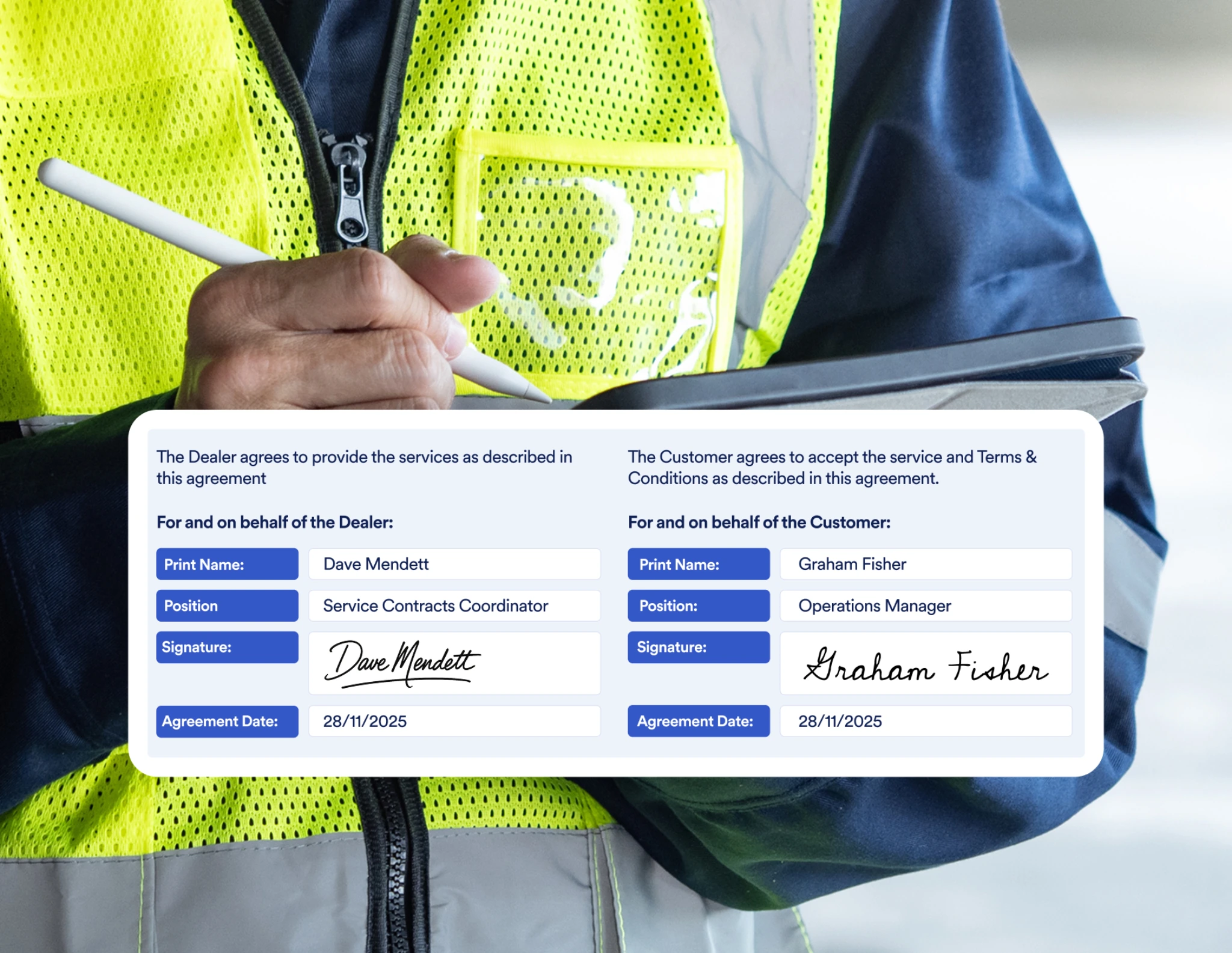

Secure, Auditable, and Professional
Digital doesn’t mean risky. Geeni Sign gives you a full audit trail for every quote - when it was sent, viewed, signed, or declined. It’s easy to demonstrate compliance, settle disputes, and build customer trust. You can even customise to match your brand.
- Full audit trail for every signed quote
- Timestamped records help with disputes and audits
- Optional customisation keeps your branding front and centre
- Secure links ensure sender identity is clear and trusted
Designed for Service Workflows
Unlike standalone e-sign tools, Geeni Sign is built right into your existing service workflows. Sales teams send quotes, customers sign, and everything updates in the system - no switching tabs, no disconnected files. It’s digital sign-off, purpose-built for field service teams.
- Integrated inside Service Geeni - no need to jump between tools
- Supports Job, Hire, Service, and Sales Order quotes
- Works with both eSigned and standard documents
- Simple to enable with ready-to-use templates

More Ways eSignature Makes Life Easier
Linked to Every Job and Quote


Keeps Finance and Ops in Sync

Helps You Win More Work
Seamlessly Built into Service Geeni


What Else Does Service Geeni Do?
Explore more of what Service Geeni can do:
.svg)
.svg)

.svg)
.svg)
.svg)
.svg)
Helping Service Teams Deliver More, Every Day
Batch cancelling jobs is super quick and easy in Service Geeni, saved us a lot of time!
.png)
Customer service is enhanced, bottlenecks are eliminated. We have grown and are comfortably handling more business, without the need to employ more staff. Sales have increased by 86%.

If we are doing services on time, making sure we’ve got parts available, making sure pieces of equipment are there, communicating well, then there is much less chance of creating unwanted downtime. If we don't have equipment running, we don't make profit.
.avif)
Service Geeni has made a big difference to the financial strength of the operation. The availability of cost reports on maintenance contracts is especially useful.
We manage forklift fleets across the country for a wide range of clients with different requirements, so we needed service management software to help us increase efficiency and enhance our customer service & Service Geeni does just that.
We can feed a lot of information back into the client’s system which we never did before. For example, the photos the engineers take. Previously, any photos tended to just sit on engineer’s phones. Now, we actually use them.

We’ve been working with Service Geeni for over 5 years using their service management software, and it’s been a great benefit to us. Initially, the software was used to keep track of truck breakdowns, but over time this has evolved and now we have trackers on all trucks and use mobile devices in the field, giving us complete visibility.
It’s so much easier to see what jobs are still live, we used to have to trawl through all the different accounts. Now we just look at Service Geeni and all the information we need is right there. It’s very useful to have that visibility. Makes our lives easier in the office.
Just wanted to praise one of the customer service Help Desk officers who goes by the name of Chris. He always has a happy, helpful nature and provides amazing customer service - five stars from me and everyone else down here at Clark Electrical Industries Ltd!
.avif)
Service Geeni provides a first-class service all of the time and we could not be happier. Whenever we have a question the team are very helpful giving a simple and clear explanation and always a solution that fits our business.

We are heavily KPI'd with our client, so Service Geeni helps us to monitor our performance and know immediately whether we are on track or not. For example, attending site by a given time. This is easy to track through Service Geeni because the engineers can log on as soon as they arrive on location. We didn't have that sort of visibility before.
We chose Service Geeni after speaking with several providers, confident their solution could meet our current and future needs by integrating everything into one system. Adam and the team were always helpful, providing clear, informative demos that reassured us Service Geeni was the right choice for our business.

We chose Service Geeni because of their willingness to change and adapt to us. Service Geeni offered the best connection with SAP, as well as advanced service management features – not everyone else could do that.

We wouldn't be able to maintain the building and equipment as efficiently as we do if we didn't have Service Geeni. And if we don't have equipment running, we don't make profit...Yes, we would recommend Service Geeni.
Service Geeni speeds everything up. Our engineers just type in the notes, and the billing is all done through Service Geeni. We get paid quicker too – they pay us automatically now through the system – there is no need for human intervention.

Because You Need More Than Just a Signature
Plenty of tools let you collect a digital scribble. But only Geeni Sign fits inside your service workflows - connecting sales, ops, and finance with one smooth, secure process. It’s faster for your customers, easier for your teams, and gives you the visibility to stay in control. And because it's built into the system you already use, nothing gets lost in the shuffle.

We’re With You Every Step of the Way
.avif)
.svg)
You have questions, we have answers
Is Geeni Sign included in Service Geeni, or is it an extra cost?
Geeni Sign is available for Enterprise customers, or as a paid add-on to your Service Geeni Premium Plus subscription. It’s designed to fit right into your existing workflows, so there’s no need for a separate e-signature tool or additional training. If you're looking for a built-in way to send, track, and store signed quotes digitally, this is the most seamless option.
Can I still send quotes the traditional way if I don’t want digital signatures for everything?
Yes, absolutely. You can keep using standard quote documents in PDF format alongside Geeni Sign templates. Service Geeni gives you flexibility - so if you’re quoting a customer who prefers the old-school print-and-sign method, you’ve still got that option. You can mix and match based on the job, customer, or situation.
Do customers need an account or login to sign a quote?
Nope - no logins, no hassle. Your customer receives a secure link via email, which opens the quote in their browser. From there, they can review and sign in just a few clicks. It works on any device - mobile, tablet, or desktop - making it easy to sign on the go.
How secure and legally valid is the Geeni Sign feature?
Geeni Sign uses secure, industry-standard digital signature technology to protect your documents. Each signed quote includes a full audit trail showing exactly when it was sent, viewed, signed, or declined - perfect for finance, compliance, or customer queries. Signed PDFs are stored automatically within the Service Geeni platform, so nothing gets lost. It’s a legally recognised method for capturing approvals under UK and international e-signature laws.
Can I have more than one person sign a quote? Or add CCs?
Right now, Geeni Sign supports one signer per quote, but multi-signer and CC functionality is on the roadmap and actively being developed. If you need that feature soon, let us know - your feedback helps shape what comes next.
What types of quotes does Geeni Sign work with in Service Geeni?
Geeni Sign currently supports Job Quotes, Hire Quotes, Service Quotes, and Sales Order Quotes. It fits right into your existing quoting workflows, so your teams don’t need to learn a new system. It’s especially helpful for asset-heavy industries where fast, traceable approvals are key to keeping operations moving.
What happens if the customer doesn’t sign, or the quote expires?
You’ll be notified if a quote goes unsigned or expires. You can easily resend, revise, or follow up directly from within Service Geeni. Status updates like “Viewed,” “Signed,” or “Expired” help you stay on top of every opportunity - so nothing falls through the cracks.
What do I need to get started with Geeni Sign in Service Geeni?
Setup is simple. You’ll need to enable the Geeni Sign add-on in your Service Geeni settings, and make sure your quote templates include a signature field. Recipient email addresses need to be in your Communication Centre - or you can add them at the point of sending. Once that’s done, you're ready to go.

Book Your Demo Today

Talk to Us